
Cómo creé 4 anuncios cinematográficos para mi app musulmana en 3h (IA de vídeo + React)
Abre la App Store y escribe "Corán". Te encontrarás con un muro de apps que parecen diseñadas en 2015. Degradados verdes. Tipografías cercanas al Comic Sans. Fotos de stock de mezquitas al atardecer estiradas fuera de proporción.
Lancé QuranWay, una app de oración musulmana, sin haberla promocionado nunca públicamente. Con la v1.3 en revisión en Apple y cero presupuesto, me di una tarde para lanzar su primera campaña UGC. Cuatro anuncios cinematográficos, listos para TikTok, Reels y YouTube Shorts, generados con IA y montados con código.
Aquí está exactamente cómo lo hice, incluidas las dos direcciones creativas que fracasaron antes de dar con la que funcionó.
El brief: cero presupuesto, 5 créditos de IA, formato vertical 9:16
Primero las restricciones:
- 5 créditos en Google Flow / Veo Lite, unas 5 generaciones de clips de 8 segundos, no más
- Sin actor, sin estudio, sin día de rodaje, pura generación con IA
- Sin app de edición de vídeo: ya había montado a mano un setup Remotion para los Shorts de Veil of Aeons que quería reutilizar
- Una tarde antes de que otro proyecto reclamara mi atención
El ángulo elegido: posicionar QuranWay como "la app musulmana que de verdad parece de 2026". Design-first, premium, dirigida a la Gen Z musulmana que dejó de esperar buen UX de las apps religiosas.
Pivote 1: la trampa del "anuncio de Apple con un teléfono" (descartado)
Mi primer reflejo fue copiar los anuncios de Apple. Teléfonos flotando en el espacio, pantallas que brillan, dolly-in fluidos. Cinematográfico, premium, seguro.
Generé un clip con este prompt:
Ultra-premium cinematic product shot of a modern vertical smartphone
floating in space, slowly rotating 360 degrees. Background is a deep
teal-to-black gradient with subtle golden particle bokeh. Studio lighting
with gold rim light on the device edges. Apple-ad aesthetic. 100mm macro
lens. Ultra-slow rotation. Clean, minimal, iconic. 8 seconds.
El render era magnífico. Nivel cine. Estuve contento con el resultado durante treinta segundos.
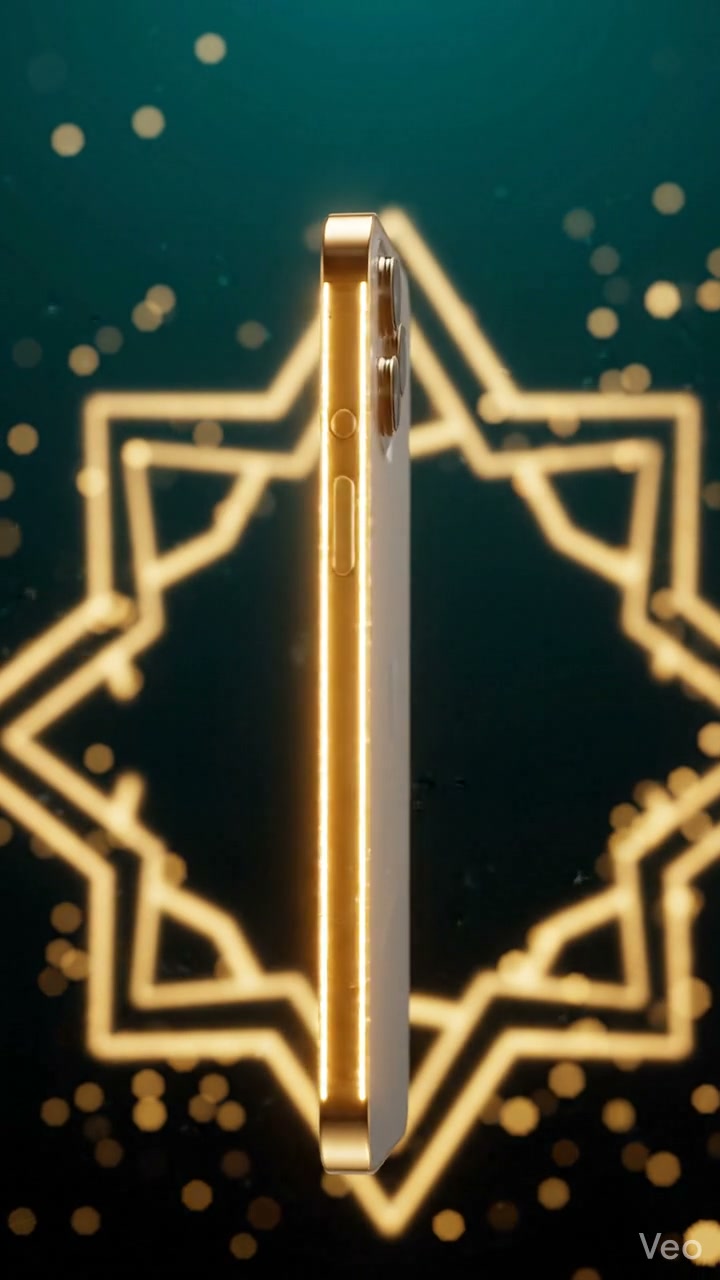
Luego me hice la pregunta de verdad: ¿qué aprende un usuario que hace scroll en TikTok de esto en el medio segundo que su pulgar duda? Nada. Un teléfono. Podría ser Apple. Podría ser Samsung. Podría ser un anuncio de Squarespace. Cero relación con el Islam, cero relación con QuranWay, cero gancho.
Lección 1: un bonito plano de producto sobre un teléfono genérico no es marketing, es stock footage.
Pivote 2: teléfono + objetos musulmanes (sigue siendo un error)
Segundo round: mantener el teléfono pero añadir marcadores culturales musulmanes alrededor. Un Corán cerrado sobre una mesa de madera, un tasbih colgando al lado, una esquina de alfombra de oración que asoma. Más un brillo abstracto en la pantalla para sugerir la app.
Redacté los prompts. Los releí. Y me di cuenta de que la misma trampa me esperaba: el teléfono seguía siendo aún el héroe visual. El ojo del espectador iba a fijarse en la pantalla, esperar una UI, y encontrar un brillo vago en su lugar. Anticlímax. Iba a pagarle a Veo para generar teléfonos genéricos con no-UIs raras.
Lección 2: no pongas tu producto donde debería estar tu historia.
Pivote 3: sin teléfono, la vida primero (el que funcionó)
El clic llegó al darle la vuelta a la pregunta. En lugar de "cómo hago un bonito anuncio para una app", me pregunté "¿cómo es realmente el uso de QuranWay en la vida de alguien?"
La respuesta no era un teléfono. Eran los momentos en los que la app aparece:
- Pasar las páginas de un Corán por la mañana
- Hacer las abluciones antes de la oración
- Desenrollar una alfombra de oración al anochecer
- Pasar las cuentas de un tasbih en la calma del final de la tarde
Ninguno de estos momentos necesita un teléfono en el encuadre. Ninguno necesita la UI de la app. Son instantáneamente identificables como vida musulmana. El cerebro de quien hace scroll los procesa en mucho menos de un segundo: los marcadores culturales hacen la segmentación que los hashtags no pueden hacer.
Reescribí los cuatro prompts en torno a esos momentos. Sin teléfono. Solo manos y rituales. Sin texto nativo (los overlays los añadiría después con código, la tipografía de Veo no es fiable). Aquí están las versiones finales, listas para pegar:
Prompt 1 — Mushaf
Cinematic macro close-up of two hands gently turning the pages of an
open leather-bound book with delicate gold Arabic calligraphy on
cream-colored pages, resting on a warm wooden table. Soft morning
sunlight streams through a nearby window, creating warm highlights and
shallow shadows across the pages. A thumb slowly traces down a line of
script. 85mm macro lens, very shallow depth of field, cinematic ARRI
Alexa look. Slow meditative pace. Natural warm color palette. No text
overlays, no graphics, no modern devices in frame. 8 seconds.
Prompt 2 — Wudu
Cinematic slow-motion macro close-up of two hands under gentle running
water in a modern white ceramic sink. Clear water droplets rise and
fall in extreme slow motion as the hands slowly wash one another,
fingertips to wrist. Natural soft daylight from a side window creates
clean highlights on the water and skin. Warm neutral tones. No faces
visible, only hands and water. 100mm macro lens, shallow depth of
field, cinematic ARRI Alexa look. Calm ritual atmosphere. No text,
no graphics. 8 seconds.
Prompt 3 — Alfombra de oración
Cinematic close-up of two hands slowly unrolling a richly woven prayer
rug with an intricate geometric Islamic pattern featuring eight-pointed
stars and arches in deep burgundy, teal and gold thread, across a warm
wooden parquet floor. Golden-hour sunlight streams through a tall
window, casting long warm shadows and illuminating the fabric's
texture. 35mm lens, low angle, shallow depth of field, ARRI Alexa
cinematic look. Slow deliberate movement, peaceful atmosphere. No text,
no graphics. 8 seconds.
Prompt 4 — Tasbih
Cinematic extreme macro close-up of a single hand slowly counting a
string of 99 dark polished wooden prayer beads with a small tassel at
the end, sliding one bead at a time between the thumb and fingers.
Warm late-afternoon sunlight filters through a window, creating a soft
golden bokeh in the background. Shallow depth of field, 100mm macro
lens, ARRI Alexa cinematic look. Slow contemplative pace, peaceful
atmosphere. No text, no graphics. 8 seconds.
Algunos detalles que puedes robar para cualquier prompt de vídeo con IA:
- Describe los objetos rituales por sus características físicas, no por su nombre religioso. "Quran" puede disparar filtros de seguridad; "leather-bound book with gold Arabic calligraphy on cream-colored pages" nunca, y Veo capta perfectamente el look.
- Bloquea el objetivo. "85mm macro", "ARRI Alexa look", "shallow depth of field" es lenguaje que los datos de entrenamiento de Veo entienden. Los adjetivos genéricos ("nice", "pretty") son tokens desperdiciados.
- Prohíbe lo que no quieres. Los prompts negativos en inglés llano ("no text overlays, no graphics, no modern devices in frame") funcionan sorprendentemente bien.
Veo clavó los cuatro a la primera. Aquí están los frames intermedios:
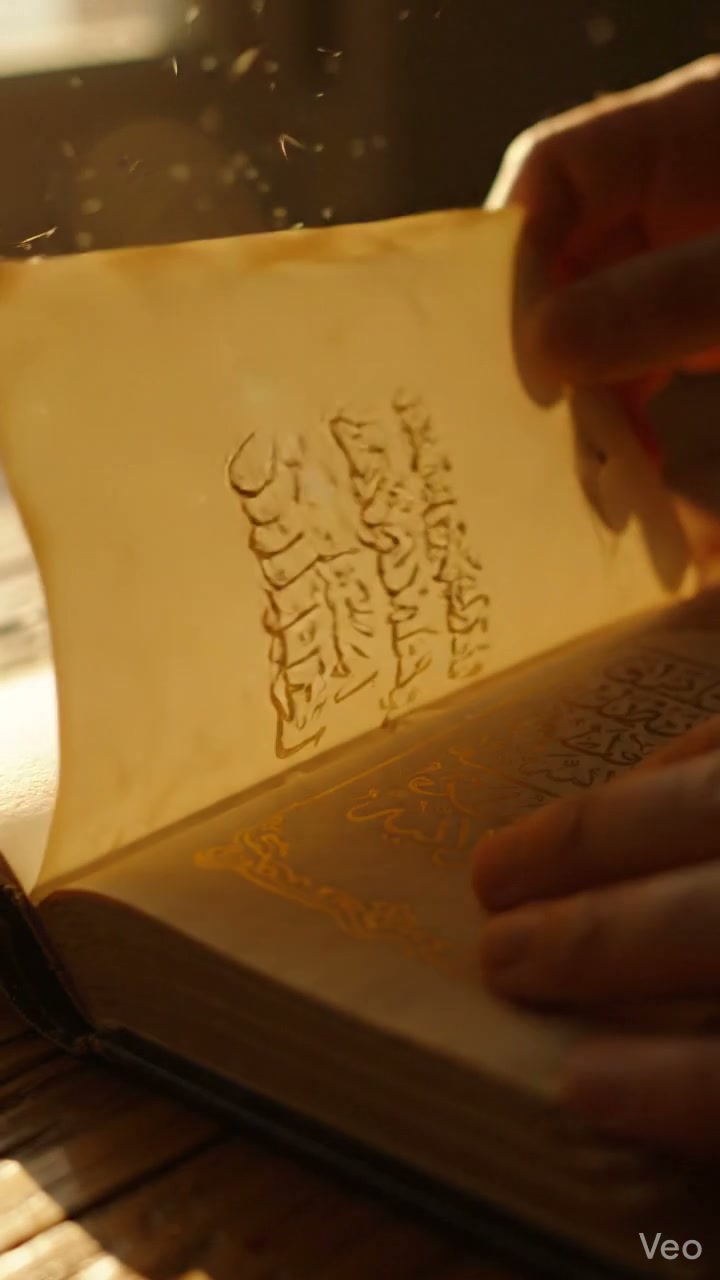
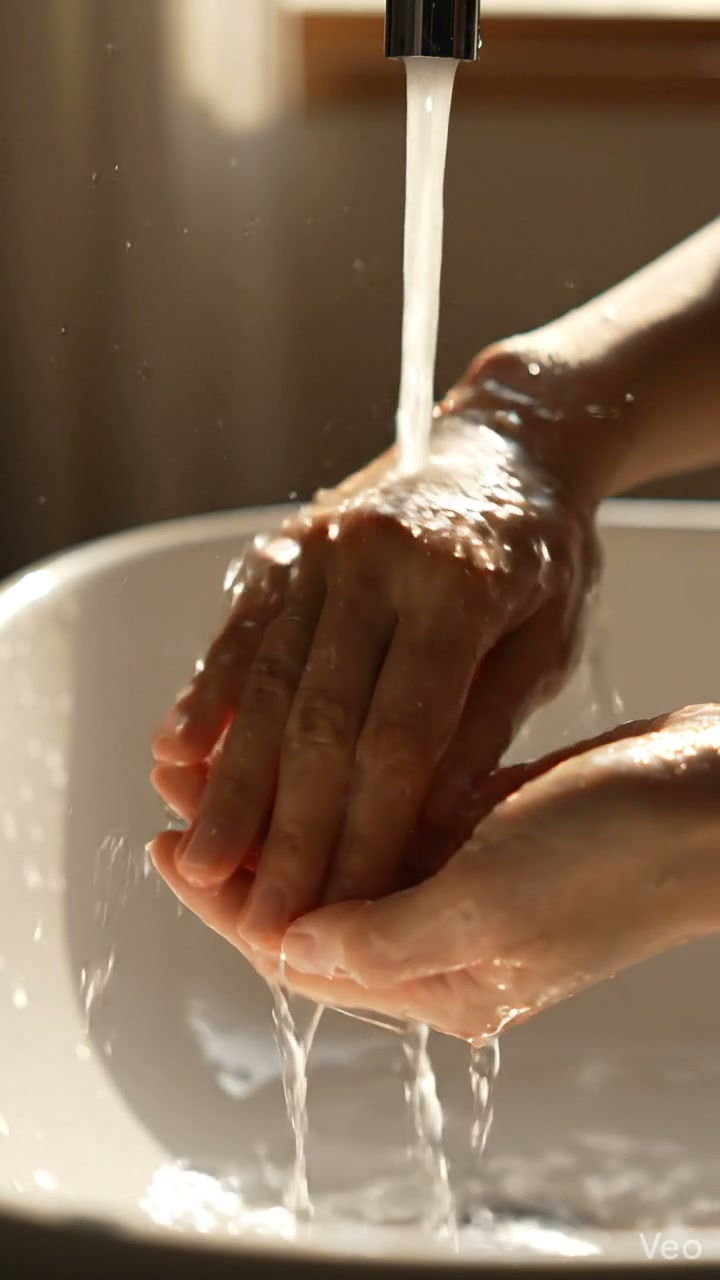
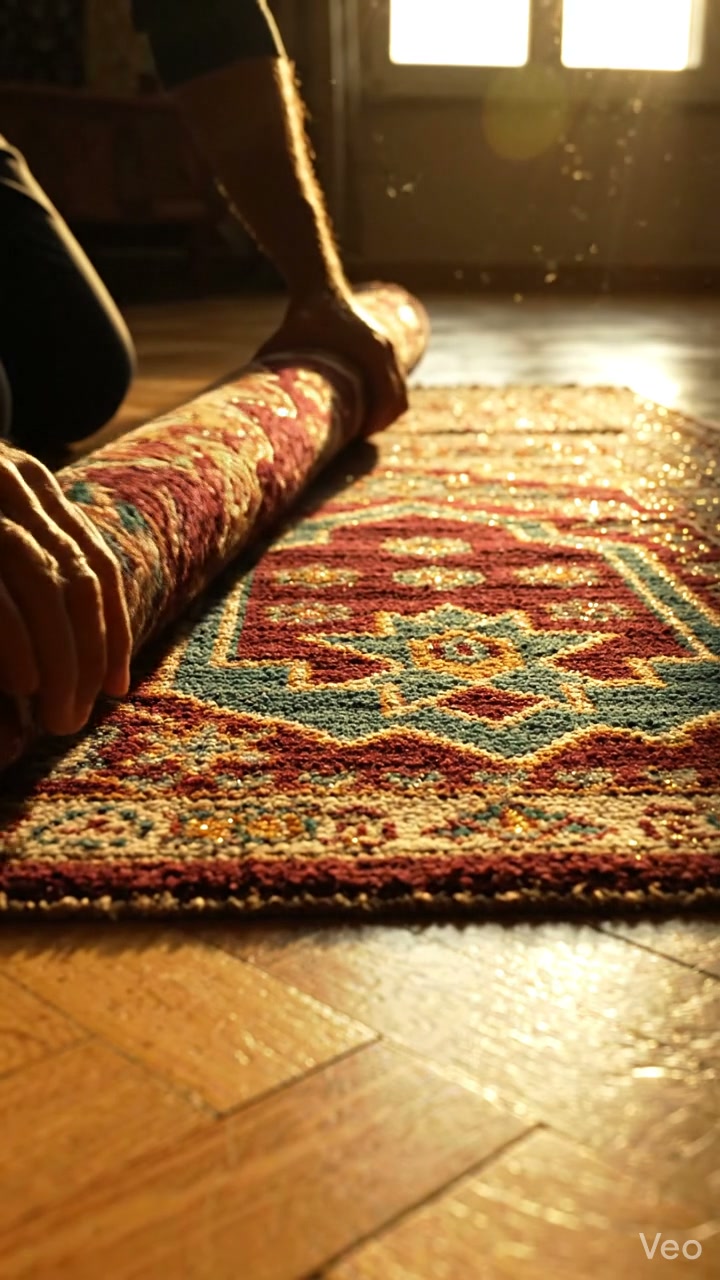
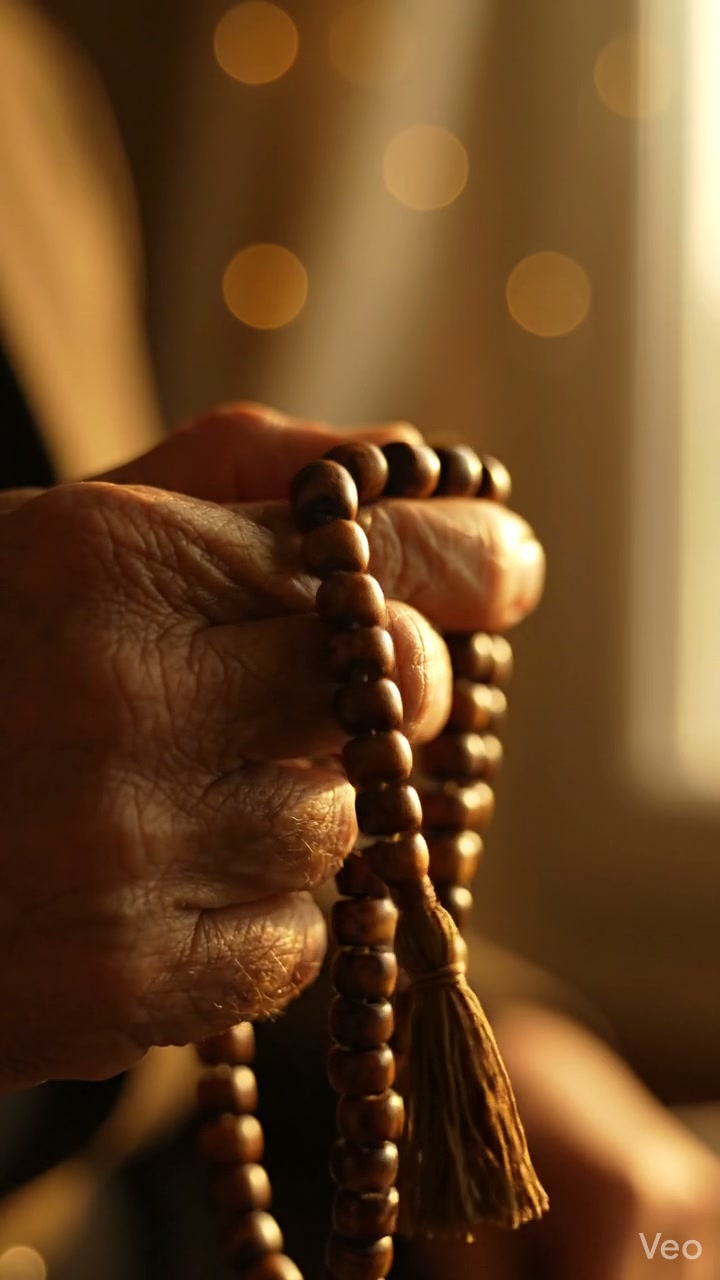
Total gastado en este punto: 4 créditos. Tiempo total: unos 45 minutos.
El montaje en Remotion (15 minutos por clip)
Veo Lite estampa una pequeña marca de agua "Veo" abajo a la derecha de cada clip. Es el precio de la generación gratis. No iba a pagar por quitarla, iba a recortarla con código.
Arranqué un proyecto Remotion nuevo (React → MP4) reutilizando patrones de un proyecto anterior de Shorts. La composición hace tres cosas por clip:
- Recorta la marca de agua. Una transform CSS con un origen sesgado empuja la esquina inferior derecha fuera del encuadre.
- Superpone un gancho de 3 líneas en Plus Jakarta Sans con una entrada palabra por palabra escalonada y una fina línea de acento dorada.
- Termina con 1.5s de outro de logo con el icono de QuranWay, el wordmark y el tagline.
El truco de la marca de agua es la pieza más útil. Un objectFit: cover escala 720×1280 a 1080×1920 perfectamente (1.5× en ambos ejes), pero la marca de agua escala con el resto y se queda abajo a la derecha. Añadir una segunda transform con un origen sesgado empuja esa esquina fuera del encuadre:
<AbsoluteFill
  style={{
    transform: `scale(${videoScale})`,           // 1.20 → 1.28 sur 8s
    transformOrigin: "30% 30%",                  // bias vers le top-left
    overflow: "hidden",
  }}
>
  <OffthreadVideo src={videoPath} style={{ width: "100%", height: "100%", objectFit: "cover" }} />
</AbsoluteFill>
transform-origin: 30% 30% es la magia. El scale expande todo hacia fuera desde ese ancla, lo que empuja la esquina inferior derecha ~13% más allá del encuadre a 1.28×, lo suficiente para recortar la marca de agua sin perder al sujeto (que vive en el centro del encuadre de todos modos). El ligero scale-up a lo largo de 8 segundos también le da a los planos estáticos una deriva Ken Burns sutil.
Los ganchos se renderizan con @remotion/google-fonts/PlusJakartaSans, la misma tipografía que los screenshots de la App Store de QuranWay, así que la marca se mantiene coherente del feed a la página de producto.
const lines = [line1, line2, line3];
return lines.map((line, i) => {
  const delay = 6 + i * 10;     // stagger lines toutes les 10 frames
  const opacity = interpolate(frame, [delay, delay + 12], [0, 1]);
  const y       = interpolate(frame, [delay, delay + 18], [30, 0]);
  const blur    = interpolate(frame, [delay, delay + 10], [6, 0]);
  return <div style={{ fontFamily, opacity, transform: `translateY(${y}px)`, filter: `blur(${blur}px)` }}>{line}</div>;
});
Cada línea llega con un soft blur que se aclara, el tipo de motion sutil que marca la diferencia entre "anuncio" y "vídeo que merece mi tiempo de visionado".
Los cuatro ganchos están mapeados directamente sobre las features más grandes de la app sin decir nunca "feature" ni "download":
- Mushaf → "Read. Memorize. Reflect."
- Wudu → "Start your day right."
- Alfombra de oración → "Never miss another prayer."
- Tasbih → "Build the streak."
npm run render:all produce cuatro MP4 en unos 90 segundos. Tiempo total de Remotion, incluida la escritura de la composición: menos de una hora.
Publicar en tres plataformas
El mismo archivo 9:16 funciona en TikTok, Instagram Reels y YouTube Shorts, sin recodificar. Subí los cuatro a YouTube con un CLI que ya había construido, programé los TikToks, y publiqué el primer Reel a mano (Instagram sigue sin permitir a los creadores solo programar Reels sin una herramienta de terceros).
Una pequeña trampa que puede salir cara en YouTube: mi script de subida autogenera por defecto títulos estilo clickbait vía OpenAI. El primer clip salió como "😱 VIRAL Muslim Lifestyle App Moment #Shorts". Ese título envenenaría por completo la marca de una app espiritual. Parcheé la llamada para los tres siguientes pasando --title --description --tags directamente, y renombré el primero en YouTube Studio después.
Lección 3: nunca dejes que metadata autogenerada salga adelante en un producto sensible para la marca. Pre-escribe el título.
Para los captions separé TikTok (corto, 5-7 hashtags, foco en #muslimtok #islamictok) de Instagram (más largo, 10-15 hashtags, más superficie de discovery). Ambos incluyen la URL de la App Store en texto plano, no clicable pero útil para el SEO y la credibilidad, más un puntero "link in bio".
Lo que haría diferente la próxima vez
Tres cosas que anoto para la v2:
- Localizar el ganador de inmediato. El EN como master tiene sentido para el algoritmo, pero si un clip supera las 10k visualizaciones, quiero los overlays en árabe, indonesio, turco y urdu listos en una hora. El setup Remotion lo hace trivial: cambias tres strings, re-render. La próxima vez pre-traduciré los ganchos antes de publicar.
- Hornear la decisión de audio en el pipeline. Silencié el audio de Veo (es malo) y dejé que los usuarios de TikTok/Reels añadieran un trending sound al subir. Vale la pena experimentar con un sub-mix suave de instrumentales de Nasheed trending horneados in para YouTube, donde los usuarios no añaden su propio sonido.
- Tratar el framework como el asset. El proyecto Remotion es reutilizable para cada drop futuro de QuranWay, cada campaña de WallCraft AI, cada otra app que lance. Open-sourcear una versión stripped está en mi lista.
El patrón más amplio
Lo interesante no es que hiciera cuatro anuncios con IA en una tarde. Es que todo el pipeline (generación, montaje, render, subida) corre desde una terminal. Sin Premiere, sin Final Cut, sin After Effects, sin gestor de assets, sin tablero de Asana. Un puñado de archivos TypeScript y unos cientos de bytes de YAML.
Es el stack de producción que era inaccesible para los fundadores solo hace cinco años. Ahora son ocho prompts de Veo, un transform-origin y npm run render:all.
Si quieres ver el resultado, QuranWay es gratis en la App Store. Los cuatro anuncios están programados para salir esta semana en TikTok, Instagram y YouTube. Volveré a actualizar este post con las métricas en siete días.
— Andy